Pay with Confidence with Tangalooma's Secure Payment Gateway
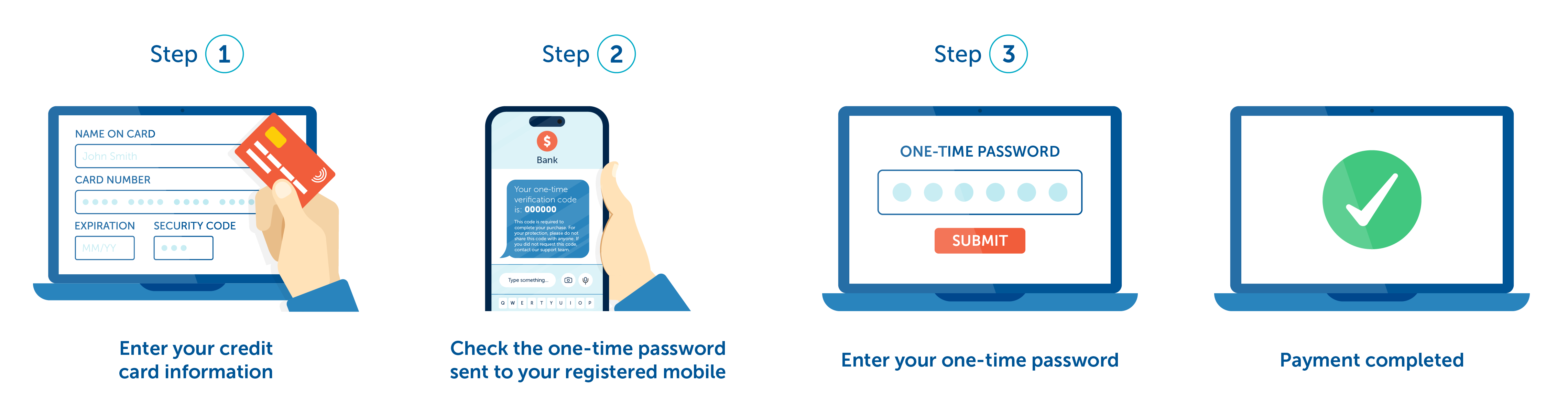
At Tangalooma Island Resort we protect your payment information by using 3D Secure verification. 3D Secure (3DS) is an authentication method that provides an additional layer of authentication for card transactions, protecting against fraudulent actors. 3DS requires that you verify your identity with your card issuer during payment, usually in the form of a code from your phone, or banking app.
Why has my transaction failed?
Occasionally, the 3D Secure authorisation system may cause a payment to fail, even though no charge has been made to your card. If your transaction has been declined, don’t worry—you haven’t been billed. Unfortunately, banks do not provide us with the exact reason for the refusal. Please try again, use an alternative payment method, or contact your bank if the problem persists.
Common reasons why 3D Secure verification has failed include:
-
Details you have provided do not match the details your bank has on file such as first/last name, mobile number, street address etc (or you are attempting to pay using someone else’s card).
-
Your browser or device has a pop-up blocker that prevents the 3D Secure page from opening.
-
If you're overseas, your bank may be sending a netcode SMS to a different phone number than the one you're using.
-
Your bank may not be enrolled in the 3D Secure verification program, or your card may not support international and online payments.
Please note that if you have not registered for the personal authentication service with your bank/travel card provider then you may not be able to pass the security system, so please register in advance with your bank/travel card provider.
Tip: When trying again please consider disabling any browser extensions, such as pop-up blockers as these may be causing interference with the 3D secure page. This interference can prevent the 3DS page from functioning correctly.
Credit card status codes
If you've encountered a failed payment and received a credit card response code (such as 05 Do not honour, or 51 Not suffient funds), you can look up more details on what that code means by visiting the credit card response codes page provided by PayWay. This page offers explanations for various response codes, helping you understand why a payment may not have gone through and what steps you might need to take next.